

Industrial teams often find that valuable information lives in more than one place. You can make better decisions when you have access to both live and historical data in one place. Real-time values from PLCs and sensors are essential for monitoring, but SQL databases often hold equally important information, like productions records, quality results, or business transactions. Without a way to easily and quickly connect these sources, teams may spend extra time running manual queries or waiting on reports, slowing down decision making.
Why it matters
Without connecting live and historical sources, operators and engineers are forced to piece together information from separate systems, which slows response time and increases the risk of errors. When SQL data like production orders, quality checks, or inventory status is available side-by-side with live sensor and PLC values, teams gain the full context they need to make decisions faster and with greater confidence.
Closing the Loop: Reading SQL Data into Real-Time Displays
For many, SQL has long been a trusted foundation for storing and analyzing industrial production data. But as new requirements emerge around digitization and connectivity, the ability to get SQL data back into operation systems is becoming just as important as writing data into it.
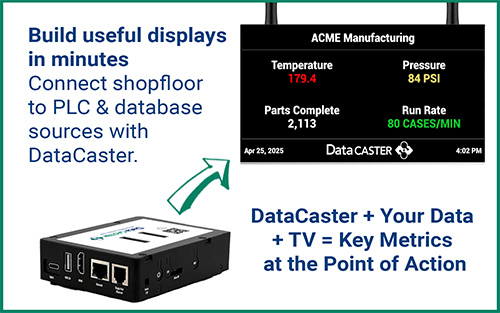
In a previous blog, we discussed the importance of accurately logging production data to a database and how Software Toolbox enables this through OPC Data Logger. In this post, we will demonstrate the reverse process, using DataCaster to read values directly from an SQL database and bring them into live displays, giving you faster insights and greater visibility into your operations.
Watch DataCaster in Action: SQL Data Made Simple
In just under 3 minutes, you saw how easy it is to configure DataCaster to read values from SQL and display them in real time:
- Connecting to a Database: Select the database driver, enter your credentials and server details, and test the connection.
- Creating and Running a Query: Build an SQL statement to return the information you need.
- Mapping a Data Item: Link a value from the query result into a Data Item for use across DataCaster.
- Creating a Layout: Add the configured Data Item to a new layout.
- Viewing Live Data: Preview as DataCaster actively reads values directly from the SQL database in Live View.
For just $895, DataCaster empowers your team with real-time knowledge at the point of action. No software installation, no coding, and no IT support required.

