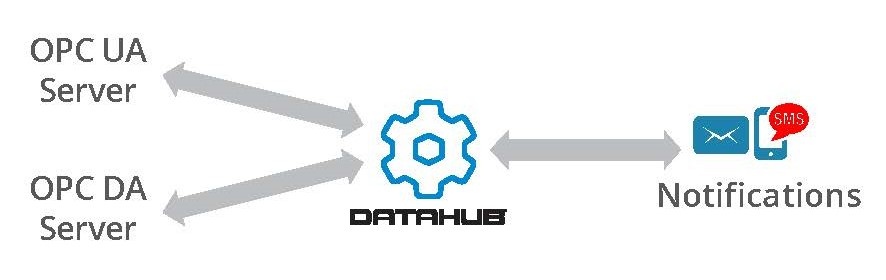
In this edition of OPC Talk with Win and Marc, we’re going to discuss when things go wrong and how do you know? No matter what OPC software you’re using, there are many things that can happen that could cause system problems. Most people would rather know about a problem before it ruins their day, week, month, or career, right?
Software Toolbox Technical Blog
Can your OPC systems tell you when something is wrong?
11 min read
By Win Worrall on Dec 4, 2017 4:23:13 PM
Enabling System Health Tracking in OT Software Applications
7 min read
By Win Worrall on Nov 30, 2017 2:00:00 PM
The heart of any control system is the computers and servers that run your automation software. For example, when PLCs talk to AC drives over Ethernet, the drives will shut down if they lose communications for more than a second, sometimes even milliseconds. Drives shutdown = Line shutdown = Plant shutdown. What IT calls a blip for plant operations can mean downtime, scrapped product and even your company’s reputation due to missed delivery deadlines.
Traditionally, server maintenance and upkeep is the role of IT. However, when these systems go down, it affects operations (OT) with different pains than IT sees on the business side. IT has systems to monitor their own assets, on the standards they need for the business, but they need the OT side to expand monitoring of their own systems and self-reliance in order for OT to meet operational needs, while bringing in IT as a resource.
This blog post will discuss how to get information about health of servers and PCs that runs the automation software OT users need without having to rely solely on IT.
Got OPC Redundancy Questions?
7 min read
By Win Worrall on Nov 28, 2017 4:00:00 PM
In this edition of OPC Talk with Win and Marc, we’re going to address some common questions we get about redundancy involving OPC software. If you’re new to the industrial automation space and want to learn more about redundancy in automation in general, visit our Demystifying Redundancy in Automation blog post.
Yes, You Can Integrate Business & Other Databases with Control Systems
5 min read
By Win Worrall on Nov 16, 2017 2:00:00 PM
It is common for companies to use databases for long-term storage of their critical information. In our experience, we also see machine setup information, short term operational data and much more besides traditional historical data put into shop floor databases in the operations technology or “OT” world.
Over on the business side or the “IT” world, everything somehow ends up in a database: Production plans, forecasts, orders, it’s all there. Increasing business demands and IT/OT convergence are driving more real-time integration between these databases and control systems.
This blog discusses some of the key reasons users like yourself need this information and then shows how the DataHub can help move this data from a database to your control systems via OPC DA, OPC UA, Modbus and other interfaces or protocols that are common in the automation layer.
OPC Data Client Toolkit Update Speeds OPC UA, DA, A&E, XML Client Development
5 min read
By Colson Dunlap on Nov 15, 2017 11:30:00 AM
I’m excited about the recent release of the OPC Data Client development toolkit – and you should be too if you’re an active developer of custom OPC Client software applications. This post is highly technical, but hopefully our developer readers will find it useful.
What is OPC – 10 Frequently Asked Questions & Answers
3 min read
By Win Worrall on Nov 14, 2017 4:00:00 PM
We’ve been working with the OPC software interoperability standards since 1996, and it’s easy to forget that others who are new to this space often find the whole discussion around the OPC standard and all the different standards confusing.
Your Protocol Document and Integrating a Non-Standard Device
10 min read
By Kevin Rutherford on Nov 9, 2017 2:00:00 PM
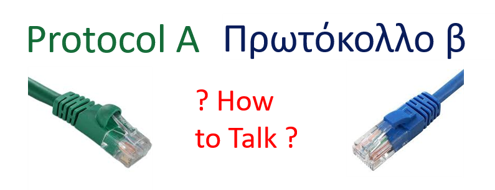
So you've been tasked with bringing data from a new device (maybe a weigh scale or barcode scanner or RFID system) into your HMI/SCADA system. But you just have a protocol document from the manufacturer. And for this new device, there is no existing, off-the-shelf connectivity driver or server available.
So what now? Do you contact a custom software development house? That gets very expensive and time-consuming very quickly.
This post, the first of three, goes through what to look for in that protocol document from the manufacturer to know how to begin using OmniServer to integrate your device without requiring custom code in a fast, affordable manner that provides industry-standard client interfaces such as OPC DA and UA.
Get It Your Way with DataHub
6 min read
By Win Worrall on Nov 2, 2017 2:00:00 PM
What's "It"? The "it" can mean a lot of things. What we mean is solving software and information integration challenges the way YOU want to solve them, and not being totally limited by the fill in the blank configuration settings in software.
Whether you are a system integrator or a sophisticated user, you know there are times where fill-in-the form software configuration makes things easy, but can also constrain you. Whether it's scability of large configurations, enhancing existing product features to satisfy YOUR NEEDS, or even adding functionality to a product, you don't like being limited by fill-in-the blank software.
The most powerful functionality of the Cogent DataHub is its balance between fill-in the blank quick configuration for most users, and the freedom to "Get it YOUR WAY" for others. Cogent DataHub does this through the free scripting engine that is included in every license.
About this Blog
We're engineers like you, so this blog focuses on "How to" appnotes, videos, tech team tips, product update announcements, user case studies, and other technical updates. Subscribe to updates below. Your feedback and questions on posts are always welcomed.
Subscribe to our Blog
Recent Posts
Posts by Topic
- Device Connectivity (204)
- Wonderware (178)
- OPC UA (121)
- Cogent DataHub (110)
- TOP Server (106)
- OPC (103)
- Technical Support (99)
- OmniServer (72)
- Video Tutorials (69)
- OPC Router (51)
- OPC DA (42)
- Protocols (40)
- AVEVA (37)
- Automation 101 (28)
- Security (26)
- MQTT & IoT (24)
- OmniServer Did You Know (24)
- Data Tunneling (23)
- OPC Data Client (22)
- Connectivity (21)
- Development Tools (19)
- IT/OT (18)
- DCOM (17)
- LGH (14)
- OPC Tunnel (13)
- Alarms & Notifications (12)
- Database (12)
- Earth Day (12)
- Summer of IoT (12)
- Exploring OPC UA (11)
- OPC Gateway (11)
- Case Studies (10)
- Dream Report (10)
- EFM (10)
- Oil & Gas (10)
- REST & Web Services (10)
- Reporting (10)
- CSV (9)
- Database & Historian (9)
- Flow (8)
- OPC Integration (8)
- Redundancy (8)
- Sustainability (8)
- AVEVA OPC UA Client (7)
- Modbus (7)
- OPC Router Basic Training (7)
- OPC Server (7)
- SuiteLink (7)
- DataHub Training (6)
- ODBC (6)
- OPC Alarms and Events (6)
- OPC Data Logger (6)
- ProtocolDesign (6)
- xml (6)
- Data Bridging (5)
- Data Logging (5)
- Data Storage Deep Dive (5)
- OPC Conversion (5)
- Data Integration (4)
- InTouch (4)
- Industrial Decisions (4)
- OPC Bridge (4)
- OPC Toolkit Benefits (4)
- OmniServer User Stories (4)
- SLIK-DA (4)
- SQL (4)
- Business Intelligence (3)
- Error Detection (3)
- IT & Infrastructure (3)
- Industry 4.0 (3)
- OPC Redundancy (3)
- OPC Server Remote Config (3)
- Wedges (3)
- Windows (3)
- Collaboration (2)
- ControlLogix (2)
- Excel (2)
- Ignition (2)
- KEPServerEX (2)
- OPC Wizard (2)
- OSIsoft (2)
- Omron (2)
- PGAS (2)
- Predictive Maintenance (2)
- Process Alert (2)
- Scripting (2)
- Store and Forward (2)
- System Integrators (2)
- Building Automation (1)
- ERP (1)
- Kepware Edge (1)
- LGH User Stories (1)
- LRC (1)
- Linux (1)
- Machine Learning (1)
- Mining/Metals (1)
- Omni Flow (1)
- Power & Utilities (1)
- Predictive Analytics (1)
- Process Alerts (1)
- QNX (1)
- Sparkplug B (1)
- Water & Wastewater (1)