Software Toolbox Technical Blog

Did You Know? OmniServer Can Integrate Most Printers with Your Process

5 min read

By Marc Holbach on Aug 1, 2019 2:00:00 PM


Whether your role is IT or OT, there tends to be an almost universal dislike of having to work with printers. It is likely, for this exact reason, that when tasked with integrating a printer (be it a laser jet printer for labelling packaging, or a label printer to track your products) many users are simply forgoing the integration completely.  That might mean opting for limited integration with a PLC on the line or simply choosing to not integrate at all while continuing to make any configuration changes manually.

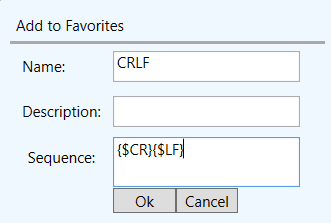
In this blog post, continuing our OmniServer Did You Know series, we’ll discuss several methods that users have implemented over the years when needing to use printers in a process and how OmniServer provides an off-the-shelf, easy-to-use alternative for direct integration of most printers with your process control systems.

Continue Reading

Key TOP Server for Wonderware V6.7 Features to Be Excited About

6 min read

By Kevin Rutherford on Jun 27, 2019 2:00:00 PM


Hopefully you received one of my emails or possibly heard from a colleague about our latest TOP Server release.  If not, you may not have heard about the key new features in TOP Server for Wonderware V6.7.

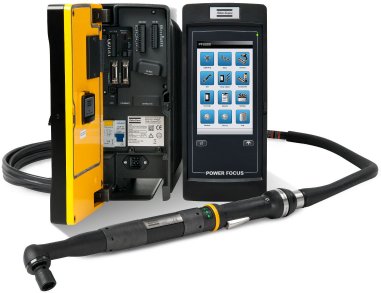
In this post, I'm going to go through some of the key features released in V6.7 in more detail, including a continued focus on security enhancements, updates to the Configuration API capabilities, enhancements to the Torque Tool Ethernet driver and more, including how they benefit you as a TOP Server user.

Continue Reading

Tech Support Corner: DCOM Horror Story - Part 2 - Locked Out With No Key

5 min read

By Kevin Rutherford on May 30, 2019 2:00:00 PM

DCOM Security and the headaches it tends to create are undoubtedly familiar to any OPC Classic user in the industrial automation industry. Stories about experienced DCOM woes are just part of the territory.

In this second part of a "DCOM Horror Stories" sidebar to our continuing Tech Support Corner blog series, this blog post covers a DCOM user scenario where the user was a little too thorough in locking down their DCOM configuration, resulting in a locked out system. And it includes a reminder of options that help you avoid DCOM configuration altogether.

Continue Reading

Tech Support Corner: DCOM Horror Story - Part 1 - When Cortana Loses Her Voice

6 min read

By Kevin Rutherford on May 16, 2019 2:00:00 PM

Any OPC Classic user in the industrial automation industry has almost certainly had their interactions with Windows DCOM security.  And most, if not all, are stories that we all shake our heads at and nod in understanding of the difficulties of traversing the pitfalls of DCOM security configuration.

In this first part of a "DCOM Horror Stories" sidebar to our continuing Tech Support Corner blog series, this blog post covers a DCOM user scenario involving the Microsoft Windows Cortana search capabilities being sidelined by DCOM security misconfiguration. Additionally, it covers what options are out there for avoiding DCOM entirely for situations like this.

Continue Reading

Did You Know? OmniServer Supports CSV Import/Export

10 min read

By Kevin Rutherford on May 2, 2019 2:00:00 PM


OmniServer's main purpose is enabling connectivity without custom code for devices that use ‘non-standard’ protocols to communicate such as weight scales, barcode readers, and printers.  And OmniServer does that in a more efficient and cost-effective manner than writing custom code.

Furthering the goal of efficiency and cost-effectiveness, you may or may not be aware that OmniServer supports CSV import and export for speedy configuration of many things including topics, devices and, in the actual protocol itself, items, registers, topic variables and even messages.  On larger projects, this provides a substantial time savings.

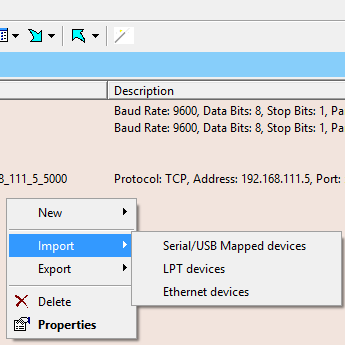
In this post continuing our "OmniServer Did You Know?" blog series, we will cover how to use CSV import and export in OmniServer to facilitate faster configuration on larger protocol implementations.

Continue Reading

Tech Support Corner: Defining a TOP Server Administrator Password

3 min read

By Kevin Rutherford on Apr 25, 2019 2:00:00 PM


If you're a TOP Server for Wonderware user, you may or may not be aware of the built-in User Manager that allows you to define user roles and associated permissions when accessing your TOP Server configuration.  As security continues to be a key focus for many process industries, keeping your process communications secure is as important as ever.

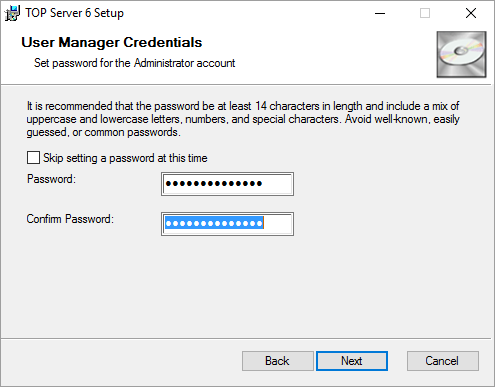
Continuing our Tech Support Corner blog series, this blog post covers how TOP Server for Wonderware now prompts users to specify an Administrator password during the installation process to ensure your TOP Server is as secure as possible.

Continue Reading

Preview the Future of Non-Standard Protocol Creation

7 min read

By Kevin Rutherford on Apr 11, 2019 2:00:00 PM


If you're familiar with OmniServer, you know that OmniServer is frequently used for accessing information from devices that use ‘non-standard’ protocols to communicate such as weight scales, barcode readers, and printers either over serial connections or Ethernet connections.

With the advent of touchscreen technology and the increasing availability and familiarity with drag-and-drop functionality across computer systems and applications, we feel it is important to evolve the OmniServer user experience to be more inline with current technologies and user expectations regarding ease-of-use.

In this blog post, we will cover a visual protocol editor we've been working on for OmniServer, showing you the key enhancements to the user experience that will make integrating your non-standard devices easier than ever.  And you'll be given the chance to download the free trial.

Continue Reading

Tech Support Corner: Did You Know about TOP Server Language Support for German, Chinese and Japanese?

5 min read

By Kevin Rutherford on Mar 28, 2019 2:00:00 PM


Our technical support engineers at Software Toolbox work with users like you from around the globe to keep their TOP Server for Wonderware implementations running with the highest performance and reliability possible.  Yet, many engineers pride themselves on their ability to self-help, as well.

To that end, in a continuance of our "Tech Support Corner" blog series, I'd like to review TOP Server localized language support for German, Japanese and Chinese that is included with TOP Server.  For our users whose primary language is not English living in regions speaking one of the supported localized languages, I'll show you how to take advantage of this support to enhance your overall user experience and self-help journey.

Continue Reading

About this Blog

We're engineers like you, so this blog focuses on "How to" appnotes, videos, tech team tips, product update announcements, user case studies, and other technical updates.  Subscribe to updates below. Your feedback and questions on posts are always welcomed.

Subscribe to our Blog

Recent Posts

Posts by Topic

See all