

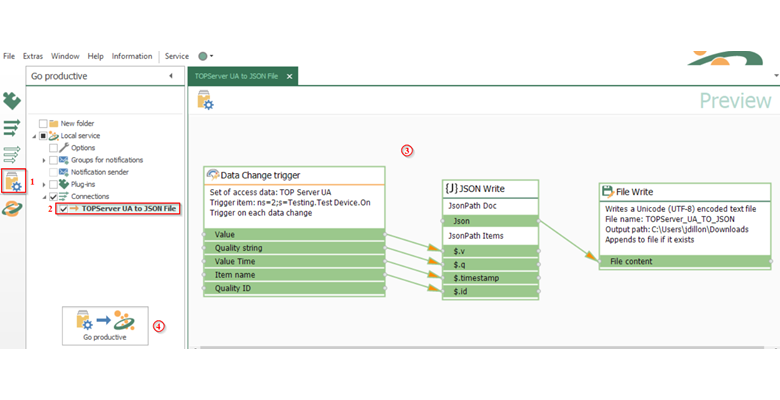
In today's business landscape, the exchange and storage of data plays a pivotal role in ensuring efficient and robust operations. Whether operating in sectors like Pharmaceuticals, Manufacturing, Power, or related industries, the exchange of data between services and applications has become standard practice, often an imperative. Consequently, many organizations leverage resources such as databases and historians to archive their invaluable data. However, there are instances where the need for simpler storage methods or direct interchange of data via Webservices is required to maximize application interoperability. Unfortunately, this solution area is often one filled with custom software applications. In this blog, we'll show you how to eliminate custom code and build sustainable solutions.
Jessica Dillon

Recent Posts
Revisiting TOP Server Redundancy with Communication Paths
7 min read
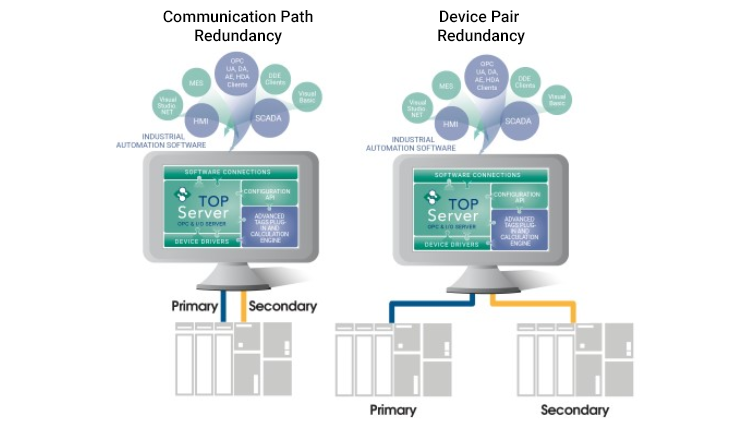
In a prior blog post regarding redundancy, we learned how critical it is to plan for redundancy in the Industrial Automation space. We covered how the TOP Server Media-Level Redundancy Plug-In facilitates duplicate or backup systems used to maintain reliable communications with the critical components in your environment which in turn minimizes data loss and increases the availability of your critical industrial data.
Ensuring Data Availability with the TOP Server Redundancy Plug-In
6 min read
The engineering definition of redundancy is “the inclusion of extra components which are not strictly necessary to functioning, in case of failure in other components.” In the Industrial Automation space, redundancy is critical. Not planning for redundancy can easily result in vulnerability to financial losses due to unexpected downtime. There are multiple types of redundancy in the industry. In this blog, we will be covering “Media-Level Redundancy”.
Tech Support Corner: Understanding TOP Server Device Scan Modes
7 min read
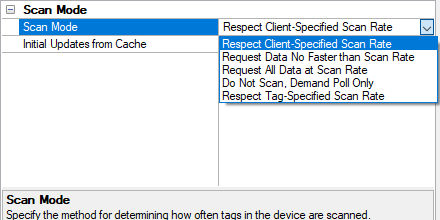
If you are reading this post, chances are you have configured your TOP Server project and are communicating with your devices successfully. Perhaps, you also have a client application successfully writing and/or reading to or from TOP Server. Did you know all TOP Server drivers provide several different Scan Modes for controlling how client requests affect the polling frequency for your configured devices? In fact, these Scan Modes apply to all client connection types including OPC UA, OPC DA and AVEVA SuiteLink.
Continuing our Tech Support Corner blog series, this short post will discuss the five Scan Mode options available in the TOP Server Device Properties. Each Scan Mode serves a different purpose depending on your specific scenario. We will explain each mode, giving you a better understanding of which mode is best for your situation. Correctly setting the Scan Mode to match the capabilities of your device will help to provide optimal performance for your automation system.
Tech Support Corner: Understanding the Different TOP Server Components
8 min read
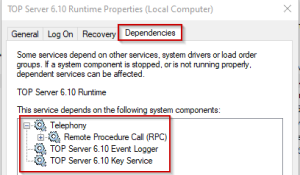
If you are reading this post, chances are that you are somewhat familiar with TOP Server as well as how to configure it to communicate with various devices. Perhaps, you are also familiar with how to configure different settings, OPC UA endpoint settings, Licensing, Stop and Start the Service, and, if you are a developer, you might be familiar with the development resources that TOP Server offers such as the Remote Config REST API and the OPC.NET interface.
However, during our daily interaction with end-users, we often find that there is a misconception of what the TOP Server application is composed of and how each component contributes to delivering the product that you interact with daily.
Continuing our Tech Support Corner blog series, this short post will discuss the various components of TOP Server and clarify how each component contributes to the macro process that allows the application to deliver communication between your process devices and your various IT/OT systems.
