Software Toolbox Technical Blog

Tech Update: New Releases, DCOM Alternatives & Tech Tips

5 min read

By John Weber on Mar 9, 2023 2:00:00 PM

This week's post is a technical update to share news about updates released for DataHub and OPC Data Logger, reminders about the value of the Tech Support corner, and your last warning about DCOM Hardening before the Windows update next week!

The team is working on some more tech tips and video tutorials that you'll start seeing later this month. Meanwhile, here's this week's update.

Continue Reading

Tech Support Corner: Configuring TOP Server as a Modbus Device/Server

8 min read

By Ganesh Kalipershad on Mar 2, 2023 2:00:00 PM


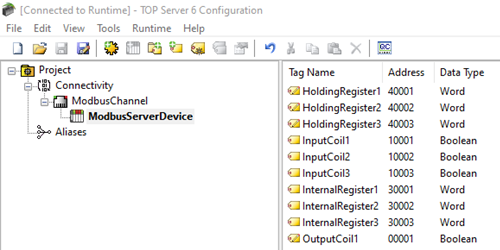
With Modbus having been around since 1979, I’m sure you have had some interaction with it or at least awareness of it if you work in the automation industry. Our TOP Server is very widely used for its Modbus TCP/IP Ethernet Driver and variety of Modbus serial drivers to enable users to connect to any Modbus devices that they have in the field. For that common use case, the device is the Modbus Server, and the TOP Server is the Modbus Client.

But what if you needed to configure TOP Server to be the Modbus TCP/IP Server (i.e. the “device”)? That is the purpose of this next post in our continuing Tech Support Corner blog series – to discuss and tell you how you can configure TOP Server to act as a Modbus server device, which is a common need for systems where either a device or other software application can only act as a Modbus Client and you have other systems that need connectivity to that Modbus client.

Continue Reading

Tech Support Corner: Client/Server Roles & Read Types with TOP Server

7 min read

By Nicole Knox on Feb 23, 2023 2:00:00 PM


A common misconception about TOP Server as an OPC server is that TOP Server will poll your device/devices automatically with no OPC client connected. So, when you are getting started with TOP Server, it is good to have an accurate understanding of how interactions occur between each node of a basic OPC architecture— client-server and server-device— to ensure that the configuration meets your needs and can be scalable to more demanding projects.

Continuing our Tech Support Corner blog series, in this blog post, we will discuss some basics of the interactions between an OPC client and server, including different types of reads and the expected behavior that you'll see as a result of those interactions.

Continue Reading

Tech Support Corner: Using TOP Server with OPC UA Discovery Servers

7 min read

By Zachary Parham on Feb 16, 2023 2:00:00 PM


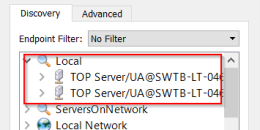
If you're a TOP Server user with OPC UA client connections to TOP Server, you may have noticed a section in the OPC UA Configuration Manager titled "Discovery Servers". Possibly you're using an OPC UA Local Discovery Server (LDS) but many of our users aren't sure what an LDS is, how to use one with TOP Server or why they should.

Continuing our Tech Support Corner blog series, in this blog post, I will step through how to make TOP Server discoverable via a Local Discovery Server using the OPC UA Configuration Manager, as well as what this does behind the scenes so that you can make other OPC UA servers discoverable even if they don’t have a similar built-in configuration tool.

Continue Reading

Let's Take a REST...API and Integrate a Wide Variety of Data

5 min read

By Kevin Rutherford on Feb 9, 2023 2:00:00 PM

So, no, we're not actually taking a rest - we're looking at what REST the acronym means from a practical perspective. But perhaps after reading this, if you're looking to connect to a RESTful API, you can give your mind a rest knowing you have a path forward.

I know the first time I ever heard the term, I had no idea what it meant or how to approach it. Maybe you've been told a certain data source has a REST API for accessing it, but you're not sure where to get started leveraging that API with your control system.

This post will provide a practical explanation of what REST is, how it can be useful to you and how you can take advantage of data provided by RESTful APIs or web services in your operations.

Continue Reading

TOP Server for AVEVA V6.13 Features to Be Excited About

6 min read

By Kevin Rutherford on Jan 26, 2023 2:00:00 PM

In keeping with ongoing continuous improvement initiatives, TOP Server for AVEVA V6.13 adds several enhancements and resolves known issues for over 20 drivers and plug-ins.

In this post, we'll cover the key features released in V6.13 in more detail, namely some helpful testing features, functionality and performance enhancements to several drivers, updates to Siemens S7 Plus Ethernet and updated MTConnect version support, including how they benefit you as a TOP Server user.

Continue Reading

2023 Automation & Control Software Learning Resources

10 min read

By Kevin Rutherford on Jan 19, 2023 2:00:00 PM


Welcome to our most popular blog post of the year! This post is our 6th annual sharing of references to learning resources including new whitepapers, our ever hot Tech Support Corner, a new AVEVA Users Corner, and new technology releases that users have told us were the most helpful to them over the course of the last year.

2022 accelerated transformations as industry worldwide continued to adapt to succeed in the face of ongoing challenges in supply chain, inflation, labor shortages, and exploding customer demand.  Each year we publish this blog post to help you learn, grow, and support empowering you to improve your business.

Continue Reading

Video Tutorial: AVEVA InTouch to DataHub via OPC UA Expands Options

2 min read

By Kevin Rutherford on Jan 12, 2023 2:00:00 PM


Users of AVEVA software are already familiar with the native connectivity options they have for interfacing with different systems and devices. AVEVA users often turn to Cogent DataHub® for integration of a wide variety of industrial and other data sources such as MQTT clients/brokers, SparkplugB systems, databases, historians and much more.

AVEVA InTouch users have traditionally connected to DataHub via its OPC DA Classic interface (via AVEVA OI Gateway). AVEVA's OI Gateway also provides those users the additional option of connecting to OPC UA data sources, for easier and more secure remote connections to such data sources.

In this video blog post, we will cover the basic steps to connect AVEVA InTouch to DataHub via OPC UA, expanding the variety of connectivity options available to AVEVA users.

Continue Reading

About this Blog

We're engineers like you, so this blog focuses on "How to" appnotes, videos, tech team tips, product update announcements, user case studies, and other technical updates.  Subscribe to updates below. Your feedback and questions on posts are always welcomed.

Subscribe to our Blog

Recent Posts

Posts by Topic

See all