Software Toolbox Technical Blog

Video Tutorial: AVEVA InTouch to OmniServer via OPC UA Expands Options

2 min read

By Kevin Rutherford on Dec 15, 2022 2:00:00 PM


Most AVEVA users are already familiar with the native connectivity options they have for interfacing with different systems. AVEVA users have turned to OmniServer for many years to integrate non-PLC devices such as barcode scanners, weigh scales, vibration monitors, RFID readers and more, all without custom code.

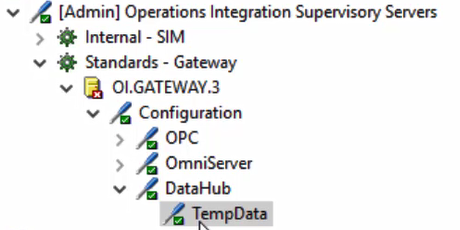
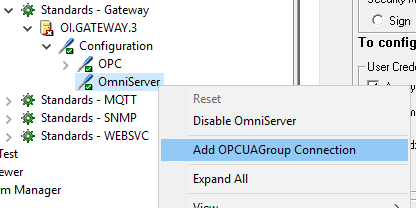
Those users of AVEVA InTouch have traditionally connected to OmniServer directly via its native SuiteLink interface. AVEVA's OI Gateway provides those users the additional option of connecting to OPC UA data sources, for easier and more secure remote connections to such data sources.

In this video blog post, we will cover the basic steps to connect AVEVA InTouch to OmniServer via OPC UA, expanding non-PLC device connectivity options for AVEVA users.

Continue Reading

Video Tutorial: AVEVA InTouch to TOP Server via OPC UA Expands Options

2 min read

By Kevin Rutherford on Dec 8, 2022 2:00:00 PM


Most AVEVA users are already familiar with the native connectivity options they have for interfacing with different systems. Many AVEVA users have also turned to TOP Server over the years, both for standardizing device connectivity in a single server and for drivers/protocols not available as native AVEVA options as a complementary solution.

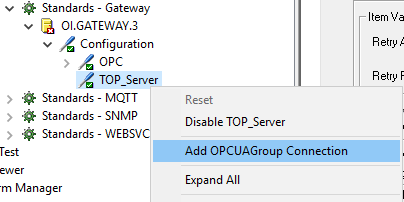
Those users of AVEVA System Platform have traditionally connected to TOP Server directly via either its native SuiteLink interface. AVEVA's OI Gateway provides those users the additional option of connecting to OPC UA data sources, for easier and more secure remote connections to such data sources.

In this video blog post, we will cover the basic steps to connect AVEVA InTouch to TOP Server via OPC UA, expanding device connectivity options for AVEVA users.

Continue Reading

Using OPC Router for Real-Time Process Updates to Microsoft Teams Chat

13 min read

By Kevin Rutherford on Dec 1, 2022 2:00:00 PM


It's pretty common these days for companies to use Microsoft Teams™ for internal communications within and between departments and maybe even between IT and OT segments in an organization. This has become more and more important with increasing remote office scenarios, enabling vital collaboration between key members of an organization.

But what if you could also have real-time updates from your process and other systems in the same fashion? Rather than a colleague messaging you about an urgent matter, what if your actual processes and even business systems could message you via Teams with actionable information (possibly a line is down, or a tank level is approaching maximum level)?

In this blog post, we'll cover the steps necessary to use OPC Router to integrate your variety of systems with Teams so that you can have real-time updates and make important decisions about your business more quickly.

Continue Reading

Video Tutorial: Real-Time Collection for Siemens S7 TCP/IP Ethernet

2 min read

By Lauren Conrad on Nov 17, 2022 2:00:00 PM


If you're reading this, you likely have at least one Siemens S7 PLC on your network being used in your industrial process and need to integrate data from that process. And if you're still using traditional Siemens variable-type addressing to access your S7 controllers, you need traditional S7 TCP/IP protocol connectivity.

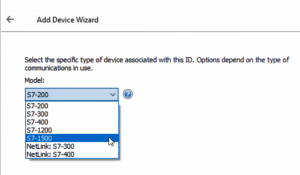
In this video blog, I'll show you how to get started using our Siemens TCP/IP Ethernet driver to connect and gather real-time process data from Siemens S7 PLCs for AVEVA software applications and other clients.

Continue Reading

OPC Router Adds MQTT SparkplugB, More Cloud Options, Flexibility

6 min read

By Kevin Rutherford on Nov 10, 2022 2:00:00 PM


OPC Router includes a wide range of features that you may already be taking advantage of. The product is regularly updated to add additional useful features and tools, and to resolve any known issues, as part of its continuous improvement process.

In this post, I will cover new features and enhancements available in OPC Router V4.28 including:

  • New MQTT Sparkplug A & B Plug-in 
  • MQTT V5 support
  • Support for Oracle Cloud Databases & Wago IoT Cloud 
  • Expanded Database and Variable Triggers
Continue Reading

AVEVA System Platform to OPC Router Connectivity Options via OPC UA

23 min read

By Kevin Rutherford on Nov 3, 2022 2:00:00 PM


AVEVA users have a range of native connectivity options for interfacing with different systems. OPC Router also supports connectivity to variety of different systems that users sometimes need to access from AVEVA System Platform. Users of AVEVA System Platform can leverage OI Gateway to easily and securely connect to OPC Router via OPC UA for connections to many other data sources.

In this blog post, we will cover the basic steps to connect AVEVA System Platform to OPC Router via OPC UA, enabling additional connectivity options for AVEVA users to systems such as SAP (and other ERPs), a variety of relational and other databases, conversion of file data including CSV, XML, JSON and others, IIoT systems including REST and SOAP web services and MQTT brokers and more.

Continue Reading

Did You Know Google IoT Core is Shutting Down? Start Preparing Now!

4 min read

By Zachary Parham on Oct 27, 2022 2:00:00 PM


If you have been following our blog for a while or have been exploring IoT platforms available in the market, you may know that the Google Cloud Platform combined with the Google IoT Core is a frequently used combination in the industry. Google has recently announced that it will be shutting down the Google IoT Core. In doing so, Google is forcing many of its Cloud Platform users to switch platforms.

In this blog post, we will review detailed information about the alternatives to the Google Cloud Platform that are available for use with all of the IoT capable products we provide, and how the change works.

Continue Reading

Faster LGH File Inspector ROI: More Flexibility & Up to 86% Reduction in Query Times!

6 min read

By Zachary Parham on Oct 20, 2022 2:00:00 PM

The LGH File Inspector software solution enables rapid query and export of Wonderware InTouch LGH files to Excel & CSV for analysis and reporting. Following on the recent LGH File Inspector v3 release a few months ago, the LGH File Inspector has been updated again to Version 3.5.

This release is all about “Faster Time to ROI” with much faster queries, ways to add calculated value to the data, and more options for how to view & export data, and access recently run projects. Find out how these updates can benefit you with this technically deep blog post.

Continue Reading

About this Blog

We're engineers like you, so this blog focuses on "How to" appnotes, videos, tech team tips, product update announcements, user case studies, and other technical updates.  Subscribe to updates below. Your feedback and questions on posts are always welcomed.

Subscribe to our Blog

Recent Posts

Posts by Topic

See all