Software Toolbox Technical Blog

Tech Support Corner: Using TOP Server Simulated Device Mode

9 min read

By Connor Mason on Sep 1, 2022 2:00:00 PM


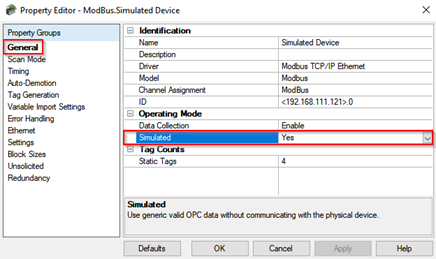
If you're a TOP Server user, you're likely accustomed to connecting to a device configured in TOP Server that is sending real-time data through one of its many available drivers. But did you know you can setup devices in a "Simulated" mode for a variety of client testing purposes when a live device isn't available?

Continuing our Tech Support Corner blog series, this post covers how the "Simulated" device property works, why you might implement it into your testing and a brief walkthrough on connecting a variety of client applications to a simulated device in TOP Server.
Continue Reading

Video Tutorial: Using DataHub Advanced MQTT Parsing

4 min read

By Win Worrall on Aug 25, 2022 2:00:00 PM


Cogent DataHub® is a gateway that enables a wide range of connectivity interfaces for different data sources such as OPC UA, OPC DA, ODBC, DDE and so much more.  Included in those available interfaces is the ability to act as both an MQTT client and broker even including Sparkplug B support for enabling MQTT integration with many other types of systems that don't natively support MQTT.

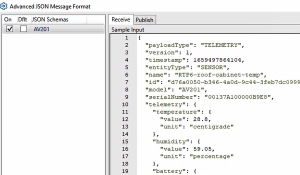
A key facet of the MQTT specification that can sometimes be complex for our users and cause issues with compatibility between DataHub and other MQTT clients and brokers is how to handle the formatting of MQTT messages. As you may or may not know, while MQTT does specify how to construct a message header for routing by an MQTT broker, it does NOT specify the actual message content. This tends to be a challenge when MQTT clients from different developers need to work together, since they need to be using the same format for the message content.

In this video blog, I'll show you how to use DataHub V10's Advanced MQTT Parser capability to specify flexible formats that will work with virtually any other vendor's MQTT clients and brokers.

Continue Reading

Tech Support Corner: Understanding TOP Server Device Scan Modes

7 min read

By Jessica Dillon on Aug 11, 2022 2:00:00 PM


If you are reading this post, chances are you have configured your TOP Server project and are communicating with your devices successfully. Perhaps, you also have a client application successfully writing and/or reading to or from TOP Server. Did you know all TOP Server drivers provide several different Scan Modes for controlling how client requests affect the polling frequency for your configured devices? In fact, these Scan Modes apply to all client connection types including OPC UA, OPC DA and AVEVA SuiteLink.

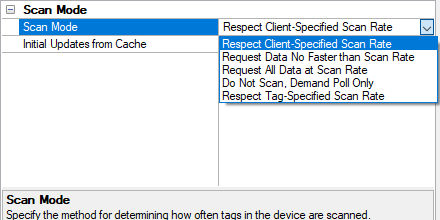
Continuing our Tech Support Corner blog series, this short post will discuss the five Scan Mode options available in the TOP Server Device Properties. Each Scan Mode serves a different purpose depending on your specific scenario. We will explain each mode, giving you a better understanding of which mode is best for your situation. Correctly setting the Scan Mode to match the capabilities of your device will help to provide optimal performance for your automation system.

Continue Reading

AVEVA System Platform OPC UA Client to DataHub OPC UA Server for Expanded Connectivity

15 min read

By Kevin Rutherford on Jul 28, 2022 2:00:00 PM


AVEVA users already have a wide range of connectivity options for interfacing with different systems. Cogent DataHub® also supports an extensive selection of connectivity to different systems that users sometimes need to access from AVEVA System Platform. Users of AVEVA System Platform have traditionally connected to DataHub via OPC DA Classic. AVEVA's OI Gateway provides those users the additional option of connecting to OPC UA data sources, for easier and more secure remote connections to such data sources.

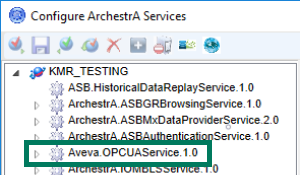
In this blog post, we will cover the basic steps to connect AVEVA System Platform to Cogent DataHub via OPC UA, expanding connectivity options for AVEVA users.

Continue Reading

Enabling Rapid Interoperability Between OPC UA & MQTT Sparkplug B

5 min read

By John Weber on Jul 21, 2022 2:00:00 PM


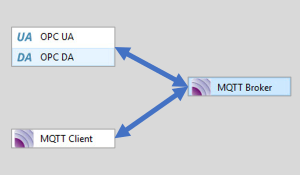
Ongoing digital transformation and operational visibility initiatives continue to demand the integration of different systems using different technologies. With increased adoption of secure OPC UA and MQTT Sparkplug B, it’s only to be expected that users will have systems that support one or the other technology but need to communicate with each other.

Although OPC UA supports a publish-subscribe mechanism with OPC UA PubSub, and adoption of OPC UA is strong and growing, the reality is there will be situations where the user is already using MQTT Sparkplug B and needs to integrate it with OPC UA or vice-versa, without writing custom code or going through complex configuration.

Software Toolbox was founded in 1996 on the principal of making data and device integration easy by using configurable off-the-shelf software to avoiding writing custom solutions and knowing the pros and cons of and ins and outs of many technologies. That mission remains strong, as you’ll see, as we discuss interoperating between OPC UA and MQTT in this blog post.

Continue Reading

Accessing AVEVA System Platform with OPC Router via OPC UA

13 min read

By Kevin Rutherford on Jun 23, 2022 2:00:00 PM


A common use case that we encounter with many AVEVA users is the need to share data from System Platform with some other client or system (HMI, SCADA, other). It's not uncommon for a company to be acquired by another company and its assets and a non-AVEVA HMI/SCADA came as part of the assets.  Or perhaps a system is being add with limited interfaces for external connectivity.  Your options for sharing data largely depend on what software interfaces these "other systems" support.

In this blog post, I'll discuss how to share your AVEVA System Platform 2020 (or newer) data via OPC UA (without using OI Gateway) using the OPC Router for situations where you have another non-OPC UA capable client application that needs access to process data in your AVEVA system such as an ERP system, IIoT platform, web service and more.

Continue Reading

DCOM Hardening & Your Alternatives to Eliminate Security Risk & Stress

10 min read

By Kevin Rutherford on Jun 16, 2022 2:00:00 PM

If you’re reading this post, you’ve almost certainly at least heard of DCOM. And, possibly, you’re one of many who have struggled over the years with the trials of configuring remote OPC Classic connections between machines where DCOM inevitably increased your time and difficulty for what should be a relatively painless task.

DCOM Hardening is Permanent in 6d 1h 34m 0s

DCOM hardening with no option to disable it is coming up fast - March 14, 2023. If you haven't already made a plan to either migrate away from DCOM communications entirely or address how to keep your process systems that will still rely on remote OPC Classic over DCOM working reliably, time is running out. Downtime is costly and a system that is using OPC Classic and hasn't been evaluated to determine the effects of DCOM hardening could be vulnerable to communication breaks.

This blog post discusses 6 types of options to relieve DCOM hardening pain. These include alternatives to DCOM that cover a range of use cases depending on what software you already have installed and your existing system architecture. We also have a comprehensive guide that you'll be able to request that addresses what DCOM changes will be needed if you're not in a position to migrate currently.  Our technical support team are also willing to discuss your specific requirements with you, so you're not on your own out there! 

Software Toolbox Products DCOM Readiness and Action FAQs

Continue Reading

Access AVEVA System Platform's OPC UA Server w/ DataHub OPC UA Client

11 min read

By John Weber on Jun 9, 2022 2:00:00 PM


Are you or have you ever been in a situation where you were working with both an AVEVA solution and some other client or system (HMI, SCADA, other) and needed to share data?  Perhaps your company acquired another company and its assets and a non-AVEVA HMI/SCADA came as part of the assets.  Or perhaps your company merged with another and now your AVEVA system is expected to integrate with other systems.  Your options for sharing data largely depend on what software interfaces these "other systems" support.

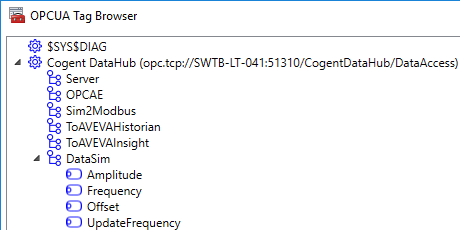
In this blog post, I'll discuss how to share your AVEVA System Platform 2020 (or newer) data via OPC UA (without using OI Gateway) using the Cogent DataHub® for situations where you have another non-OPC UA capable client application that needs access to process data in your AVEVA system.

Continue Reading

About this Blog

We're engineers like you, so this blog focuses on "How to" appnotes, videos, tech team tips, product update announcements, user case studies, and other technical updates.  Subscribe to updates below. Your feedback and questions on posts are always welcomed.

Subscribe to our Blog

Recent Posts

Posts by Topic

See all