

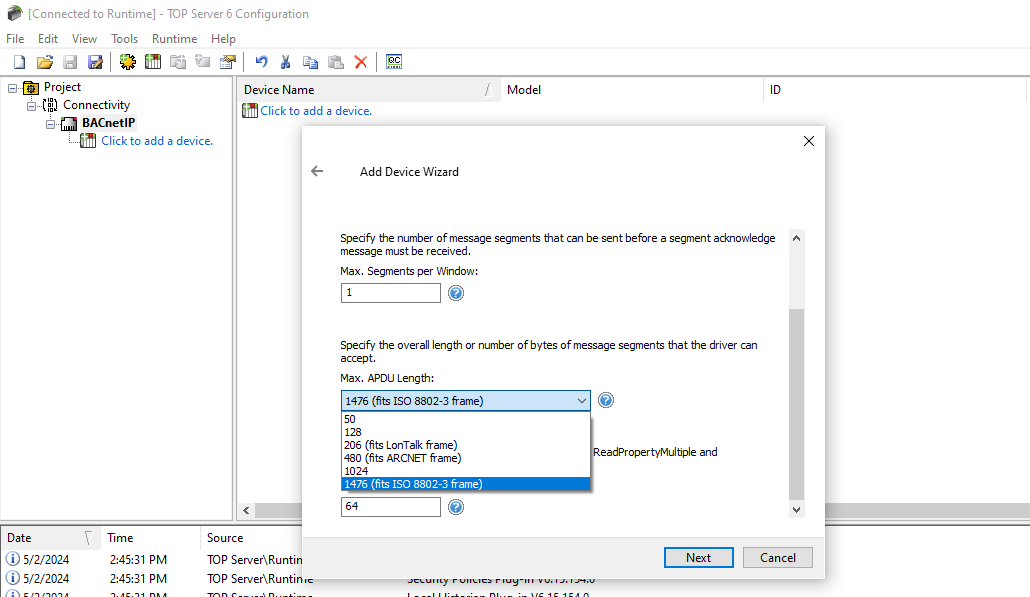
Originally developed by the American Heating Refrigerating and Air Conditioning Engineers, BACnet (short for Building Automation and Control Network) is a communications protocol primarily used in building automation systems to control the data exchange between different devices and components. If you're reading this, you’re likely familiar with the building automation and control industry and might have a BACnet controller being used in your industrial process.
Flexible Control of Real-Time Device Polling Schedules
7 min read

The TOP Server OPC server is known for its ability to collect real-time data from a wide range of devices, using off-the-shelf industry standard protocols. However, challenges arise when not all devices can consistently share data in real-time due to limitations in connectivity mediums or networks. This is particularly evident in critical SCADA-heavy industries like Power & Utilities, Renewable Energy, Oil & Gas and Water/Wastewater, where precise control of polling is crucial due to their limited bandwidth availability. With traditional cyclic polling, for example "once an hour", you can end up with high bandwidth utilization at the top of an hour and the communications link being idle the rest of the time. Rather than do that, it's better to spread that usage out over the full hour.
The TOP Server Scheduler Plug-In is used to accomplish this spreading out of polling. With it, users can create a customized polling schedule for these devices for any TOP Server driver, which in turn optimizes communications between your SCADA, HMI, MES, or Historian and devices in the field. This eliminates the need to rely on your client applications or direct device configurations to achieve reliable collection crucial operational data from field devices.
Tech Support Corner: DataHub Item Imports Made Easy
5 min read

Cogent DataHub enables users to integrate diverse data sources quickly and efficiently within their industrial automation ecosystems. By providing multiple ways to consume, organize, and deliver data, handling multiple inputs is a strong suit of DataHub.
CSV import functionalities are available for a variety of plug-ins including OPC DA & UA Clients, MQTT Client, External & Local Historians, Bridging, and Modbus. In this blog, we'll delve into the format and import options of OPC UA items specifically tailored for DataHub's OPC UA Client configuration, but the concept is the same for all CSV imports in DataHub.
Modbus Offset vs. Addressing: Why Does It Matter?
7 min read
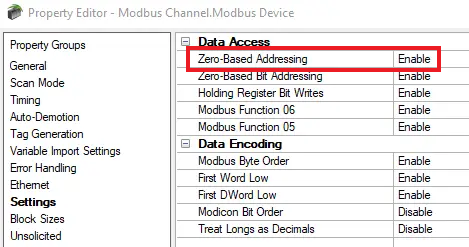
Have you ever been confused on the difference between Modbus offsets and addresses? I’m sure you may have configured different Modbus devices from different manufacturers who follow different documentation standards, especially for memory mapping. As we all know, that can certainly increase implementation time. In this blog post, we are going to dive into how offsets and addresses compare and differ to hopefully provide a better understanding, cutting down that configuration time when using TOP Server. Before we start comparing offsets and addressing, let’s first get an understanding of what both are.
Using TOP Server's Advanced Tags Plug-In: Calculations & Data Bridging
7 min read
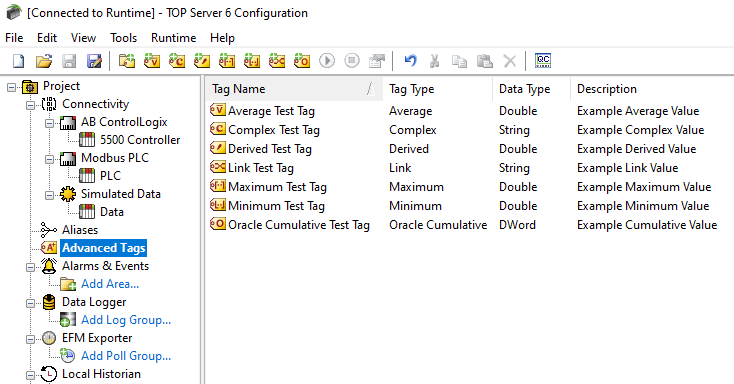
TOP Server is widely used in automation for data collection from your industrial control systems. One of the many benefits of using TOP Server is that it ensures data integrity – meaning that the accuracy, consistency, and completeness of the data is maintained from your data source all the way up to whatever is consuming that data from TOP Server, such as your HMI, SCADA, MES, or Historian. While its capability to collect unchanged raw data from field devices is invaluable, it may not always align with the desired format, and there could be elective data massaging or manipulation required to meet your business demands. TOP Server can convert data types and even scale to engineering units, but what if you need more advanced data such Cycle Time, Maximum Temperature, Downtime Reason, etc.?
The TOP Server Advanced Tags Plug-in enhances functionality by providing added features to any TOP Server driver, such as mathematical operations and data bridging across protocols, thereby streamlining analysis processes and enhancing decision-making capabilities within industrial control applications.
In this article, we'll briefly introduce a few key features of the TOP Server Advanced Tags Plug-in that could serve valuable to you in your data collection processes.
Video Tutorial: Real-Time Collection for GE Ethernet Controllers
1 min read
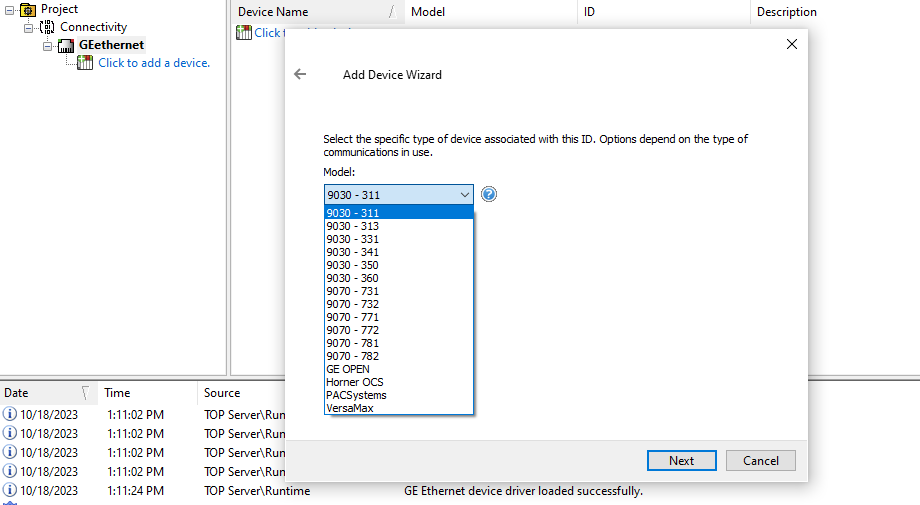
The GE Ethernet family of PLCs and PACs is one of the most popular controllers across many automated industries. If you're reading this, you likely have at least one GE Ethernet controller being used in your industrial process and need to integrate data from that process.
The TOP Server GE Ethernet driver supports data access from devices using the GE SRTP Ethernet Protocol, including Series 90-30, Series 90-70, Horner OCS (Horner's Operator Control Stations), PACSystems RX3i and RX7i, and the VersaMax Family, as well as an expanded range of GE PLCs through the open device model selection within the driver.
In this video blog, I'll show you how to get started using our GE Ethernet driver to connect and gather real-time process data from GE controllers for HMI, SCADA, MES and other client applications.
Revisiting TOP Server Redundancy with Communication Paths
7 min read
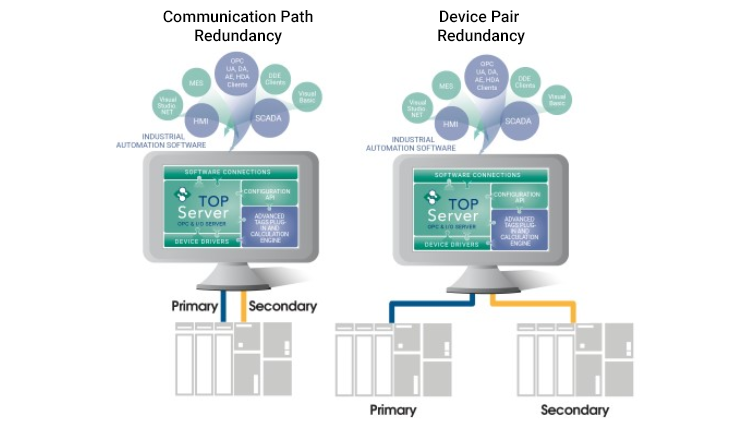
In a prior blog post regarding redundancy, we learned how critical it is to plan for redundancy in the Industrial Automation space. We covered how the TOP Server Media-Level Redundancy Plug-In facilitates duplicate or backup systems used to maintain reliable communications with the critical components in your environment which in turn minimizes data loss and increases the availability of your critical industrial data.
Tech Support Corner: Flexible Options for Tag Management in TOP Server
10 min read
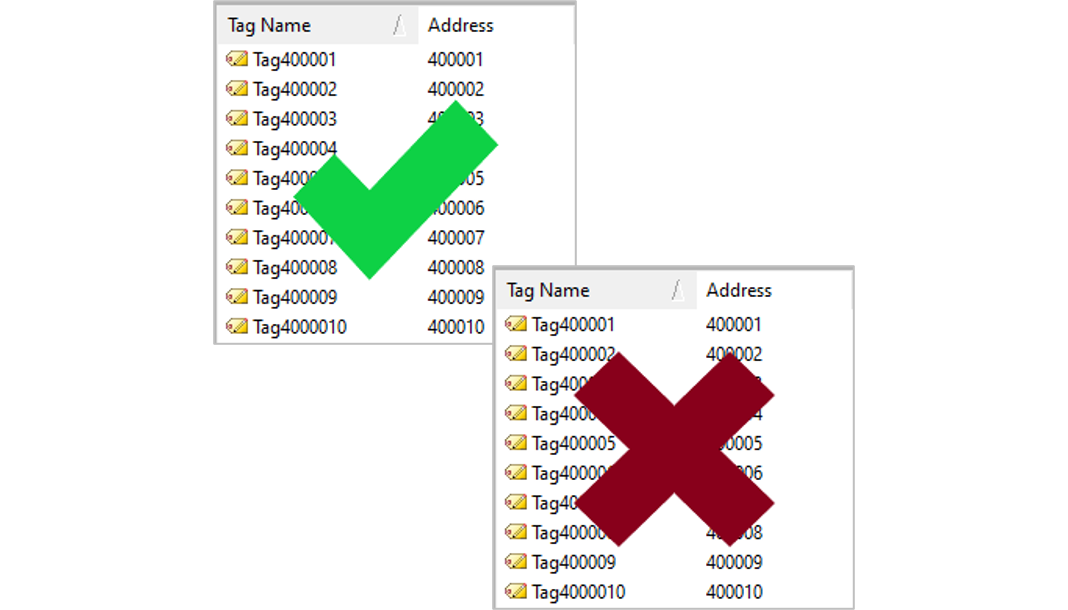
Tags, nodes, points, items, symbols – in our industry, we often see these terms thrown around, but in most instances, we’re all talking about the same thing. From the TOP Server OPC Server's perspective, we refer to them as tags. A tag is an OPC Server software application’s representation of a device address to use for communication. This is how your HMI, SCADA, MES, historian, or other client application is able to consume data. If you’re a TOP Server user, you know that you are required to configure tags to get data from your device, but did you know there are multiple options of how to accomplish this?
