Software Toolbox Technical Blog

Video Tutorial: Real-Time Collection for Mitsubishi Ethernet

1 min read

By Kevin Rutherford on Mar 19, 2020 2:00:00 PM


If you're reading this, you likely have at least one Mitsubishi PLC being used in your industrial process and need to integrate data from that process.

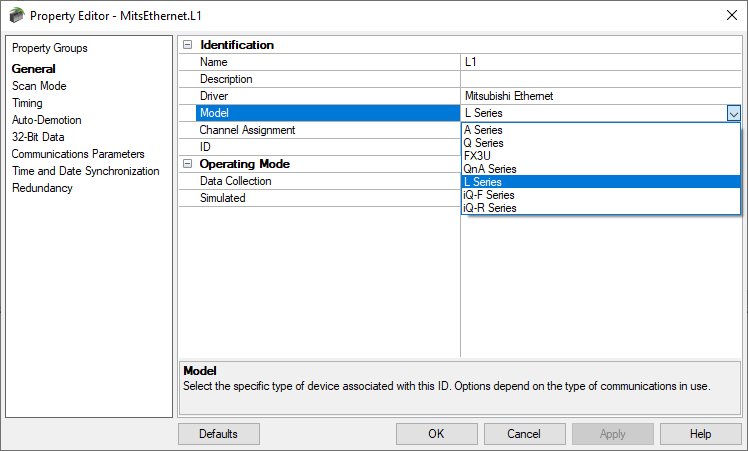
In this video blog, I'll show you how to get started using our Mitsubishi Ethernet driver to connect and gather real-time process data from Mitsubishi PLCs for AVEVA formerly Wonderware applications.

Continue Reading

Video Tutorial: Using TOP Server with OPC UA Client Applications

2 min read

By Kevin Rutherford on Feb 27, 2020 2:00:00 PM


TOP Server for AVEVA™, formerly Wonderware connectivity to hundreds of device types and protocols is only part of how TOP Server helps with integrating industrial process data with external software such as AVEVA™ System Platform, formerly Wonderware and other client applications.  How does the device data actually make it into the client?

In this video blog, I'll show you how to make a secure OPC UA connection from OPC UA clients supporting the Data Access profile to TOP Server for integrating process data from the wide variety of device vendors and protocols that TOP Server supports.  We cover the basics of configuring the OPC UA server interface in TOP Server and making an OPC UA connection using an OPC UA test client.

Continue Reading

Video Tutorial: Using OmniServer with OPC UA Client Applications

2 min read

By Kevin Rutherford on Feb 13, 2020 2:00:00 PM


OmniServer's connectivity and data parsing capabilities are only part of how OmniServer helps with integrating non-standard devices with external software such as HMI, SCADA, MES, historians and other client application.  How does the device data actually make it into the client?

In this video blog, I'll show you how to make a secure OPC UA connection from OPC UA clients supporting the Data Access profile to OmniServer for integrating process data from all of your "other" devices where there isn't a standard, off-the-shelf driver - all without the cost and effort of having to write a custom driver.

Continue Reading

Exploring OPC UA - Symmetric vs Asymmetric Encryption

8 min read

By Marc Holbach on Feb 6, 2020 2:00:00 PM


In the first post of our ongoing Exploring OPC UA blog series, we covered the three functions that OPC UA Certificates (also known as Application Certificates) serve in the context of OPC UA security.

In this second post, we'll take a look at what happens to messages after you have trusted the application certificates and have enabled security on the OPC UA endpoint. Specifically, what does Sign&Encrypt mean on an endpoint and how can we be sure that the data is truly secure.

Continue Reading

Lower Your Non-Standard Protocol Configuration Time by Up to 40%

2 min read

By Kevin Rutherford on Jan 16, 2020 2:00:00 PM


Those of you even somewhat familiar with OmniServer are likely aware that OmniServer is frequently used for accessing information from devices that use ‘non-standard’ protocols including such devices as weight scales, barcode readers, and printers either over serial connections or Ethernet connections.

Over the past several years, we've been working to evolve the OmniServer user experience with the goal of making it easier and more efficient to build a non-standard protocol/driver.

In this video blog post, we will step through the most powerful features of the new visual protocol editor for OmniServer, demonstrating the key enhancements to the user experience that will make integrating your non-standard devices easier and faster than ever.

Continue Reading

Tech Support Corner: Adding Drivers to an Existing TOP Server Install

1 min read

By Kevin Rutherford on Oct 24, 2019 2:00:00 PM


If you're a TOP Server for Wonderware user, it's possible you've gone to configure a channel using a driver you've never used before but couldn't find it in the available driver list.  This can be confusing, especially if you weren't the user that installed TOP Server.  It is, however, an easy fix.

Continuing our Tech Support Corner blog series, this video blog post covers how to easily add additional drivers to an existing TOP Server install from the long list of available drivers.

Continue Reading

Video Tutorial: Key New Features - OmniServer V3.1.0.9

2 min read

By Kevin Rutherford on Oct 17, 2019 2:00:00 PM


As part of our continuous improvement process at Software Toolbox, OmniServer is updated several times a year to add additional useful features and tools, and to resolve any known issues.

In this video blog, I will cover updates and enhancements available in OmniServer V3.1.0.9 to help you with flexibility and testing while connecting to all of your non-standard devices.

Continue Reading

Top 4 Dream Report Features to Be Excited About in the V5.0 R2 Release

3 min read

By Kevin Rutherford on Sep 19, 2019 2:00:00 PM


As you are probably aware, Dream Report is a real-time report generator and dashboard solution that is quickly and easily configurable through an easy-to-use interface with flexible options relating to not only collection and archival of data and alarms but also for analysis.

In this post, we'll go through four key features of the V5.0 R2 release of Dream Report and how they benefit existing and new Dream Report users.

Continue Reading

About this Blog

We're engineers like you, so this blog focuses on "How to" appnotes, videos, tech team tips, product update announcements, user case studies, and other technical updates.  Subscribe to updates below. Your feedback and questions on posts are always welcomed.

Subscribe to our Blog

Recent Posts

Posts by Topic

See all